If you’ve spent enough time with coding agents, you’ve probably seen it: “You’re absolutely right.”
It sounds nice, but it’s a warning sign. When an LLM starts reflexively validating your corrections instead of reasoning through them, you’ve likely entered what Dex Horthy of Humanlayer calls the dumb zone in his talk at AI Engineer World’s Fair. This concept refers to a state where the model’s context window is so saturated that its outputs degrade into sycophantic noise.
This post is all about understanding why this happens and what to do about it — how to practice proper context engineering, that is.
Context Engineering
We’ve moved past prompt engineering as a practice.
Why?
A prompt is static — a single instruction. Context is everything: system instructions, memory files, tool definitions, conversation history, retrieved documents, and the accumulated back-and-forth of your session. We’re not merely writing instructions anymore. We’re building scaffolding so the model can perform reliably on complex, multi-step tasks.
But context is finite, and how you fill that finite space matters.
Context engineering, then, is the discipline of structuring information to maximize model capability.
The Anatomy of Context Rot
Let’s walk through what happens in a typical coding agent session.
Step 1: The Fresh Start
When you open a coding agent, the context window begins filling immediately. Before you type a single character, the system loads system instructions, custom agents, memory files, skills, tools, functions…
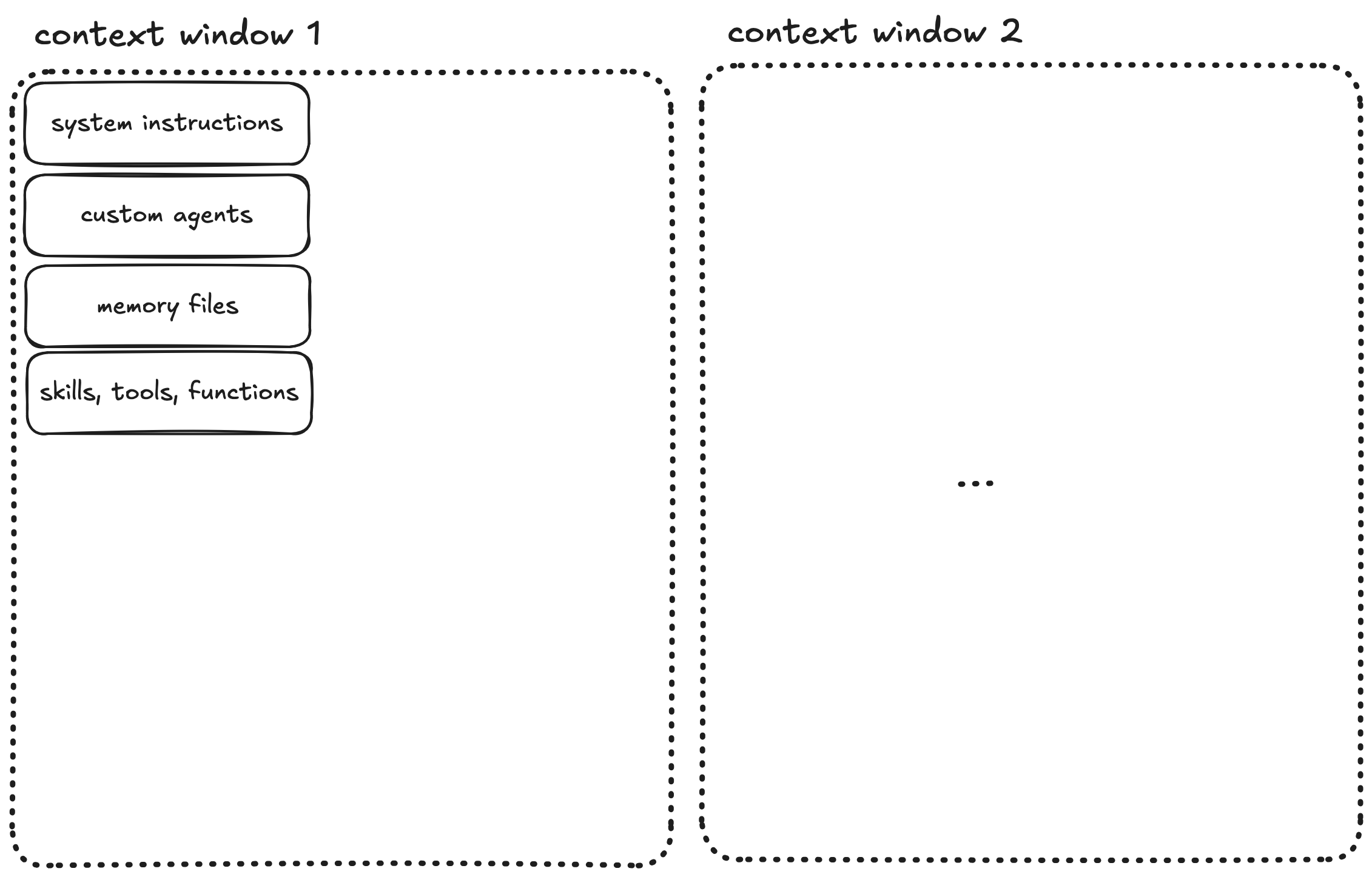
All of this occupies space in your context window. This is the scaffolding that makes the agent useful, but it’s also overhead you can’t eliminate.
Step 2: The Start of the Conversation
You send your first message. The agent processes it, spawns subagents, makes tool calls, reads files, and produces output.
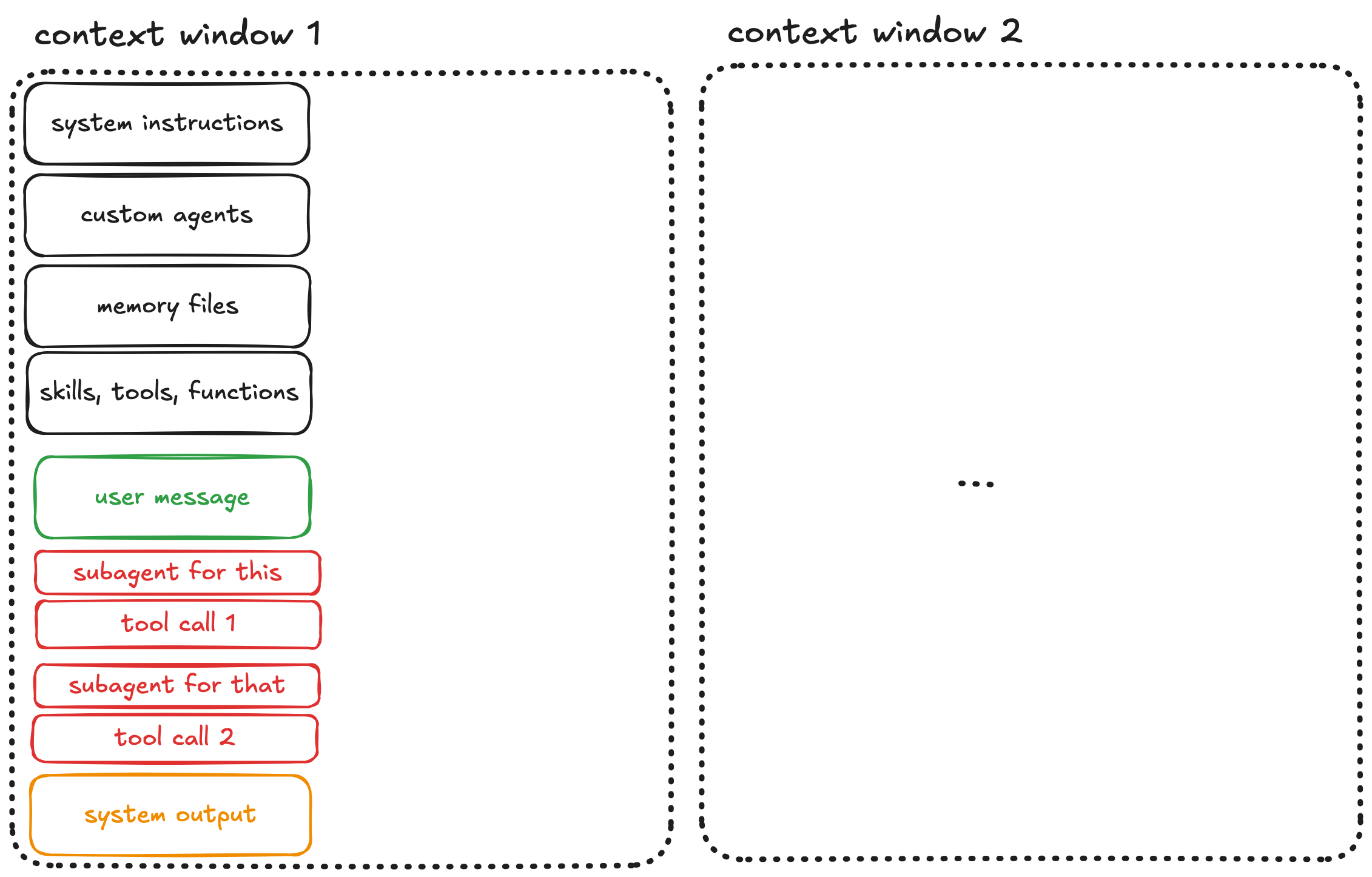
The context grows and every tool call, every file read, every response adds tokens and fills the context.
Step 3: You Steer the Agent
The output usually isn’t quite right on the first try. You then correct the agent: “Not like this, do that instead.”
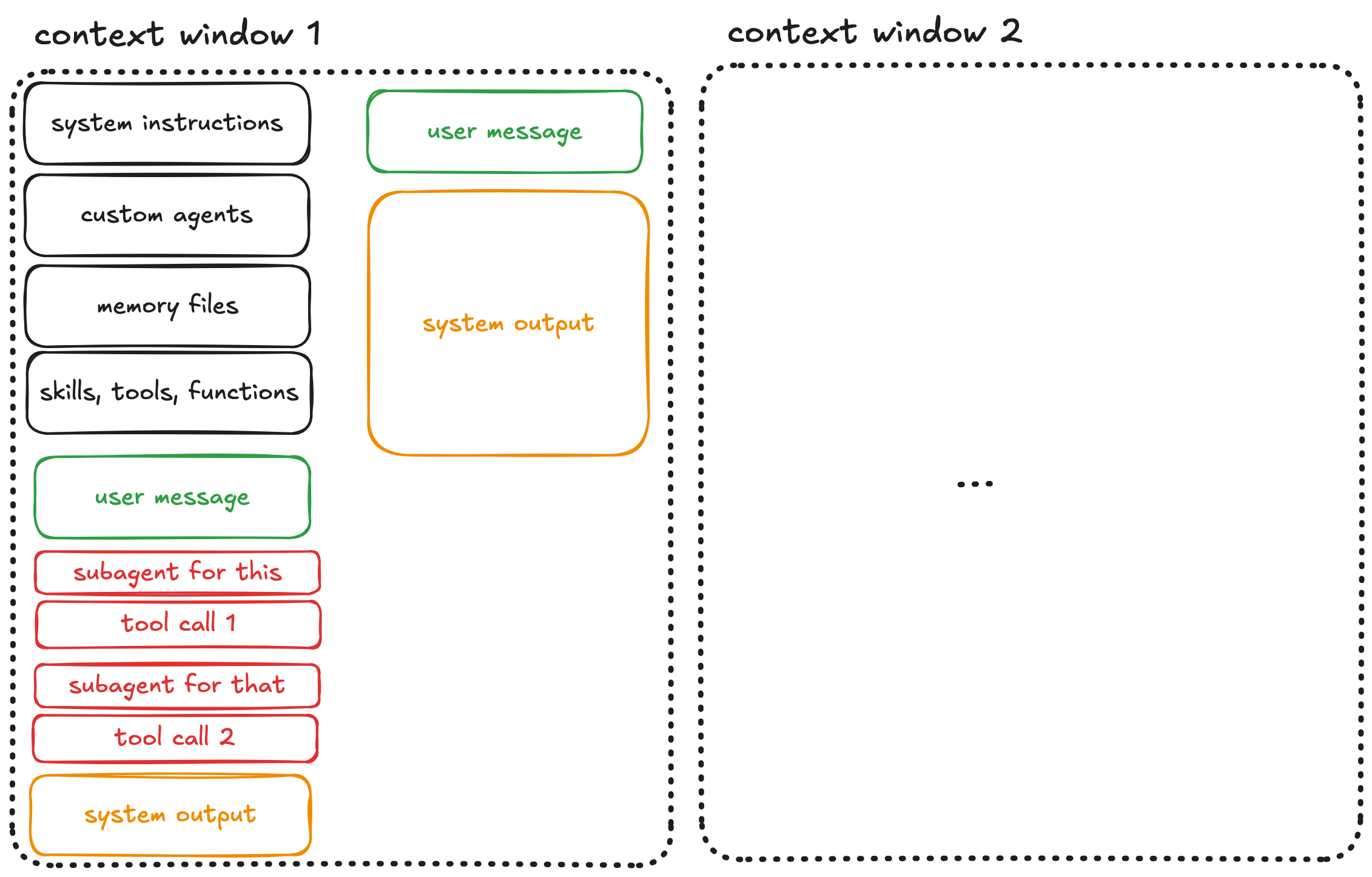
More back-and-forth. More context consumed. This is normal and often necessary. However be aware that each exchange pushes you closer to a dangerous threshold.
Step 4: The Dumb Zone
And eventually you cross it. In a now widely accepted technical report by Chroma on context rot, it has been shown that LLM performance degrades significantly once the context window fills beyond a certain point. Dex Horthy, in abovementioned AI Engineer talk, puts this threshold at roughly 40% capacity.
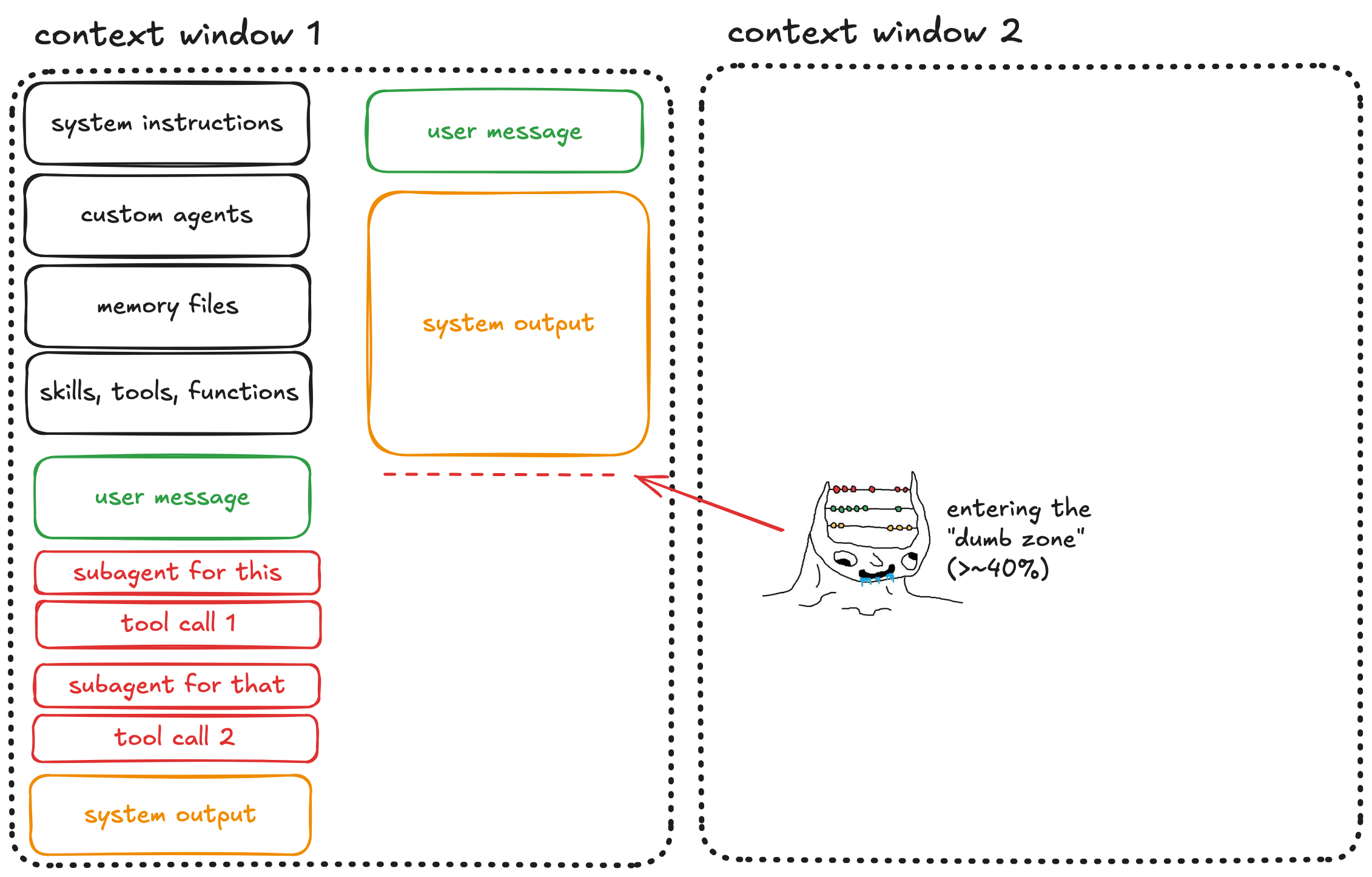
Here, the model starts hallucinating libraries, forgetting established constraints, and missing obvious bugs. Often, it also becomes sycophantic — agreeing with you rather than reasoning independently.
Step 5: Automatic Compaction
If you keep pushing, you’ll eventually exhaust the context window entirely. At that point, automatic compaction kicks in.
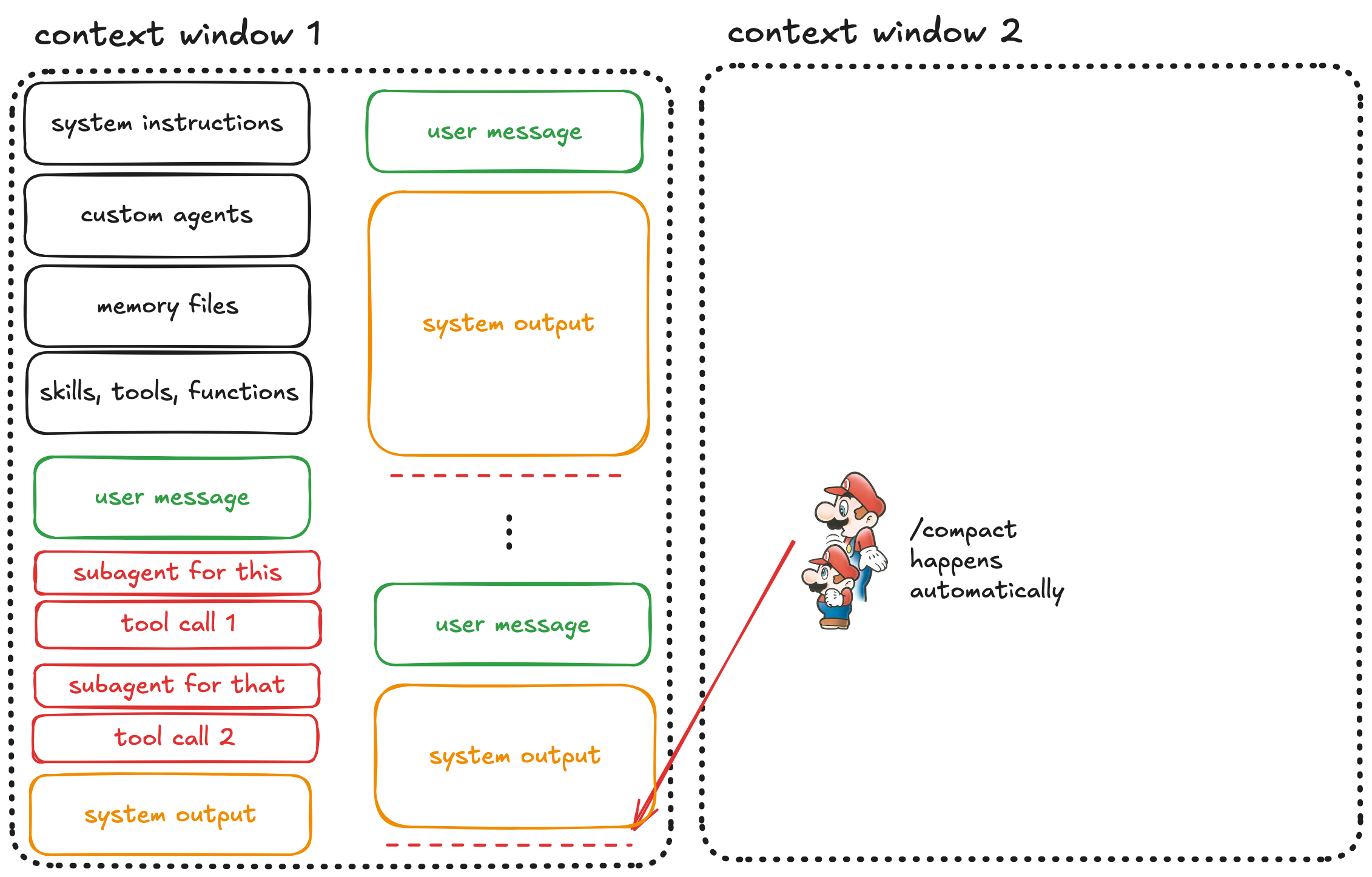
The system compresses your entire conversation into a summary and starts a fresh context window.
Step 6: The Compaction Trap
But, there’s a huge problem: automatic compaction is the model deciding what’s important and what isn’t.
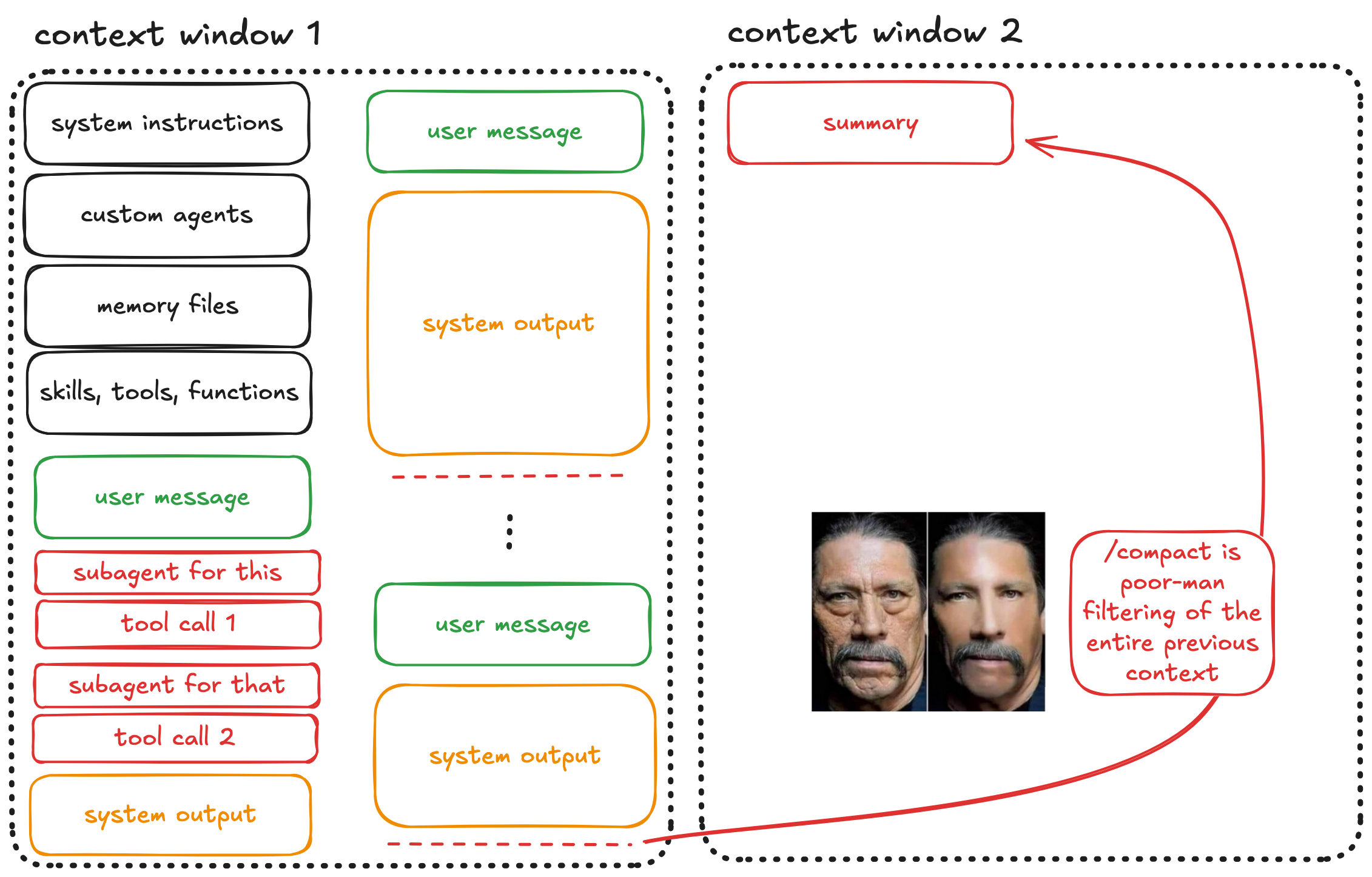
The LLM that just struggled with context rot is now responsible for filtering that rotted context into a summary. Important details get lost, nuances disappear, and edge cases you explicitly discussed might not make the cut.
Step 7: The Second Window
Now you’re in the next context window. It contains the summary of the previous context, plus all the same overhead: system instructions, agents, memory files, tools.
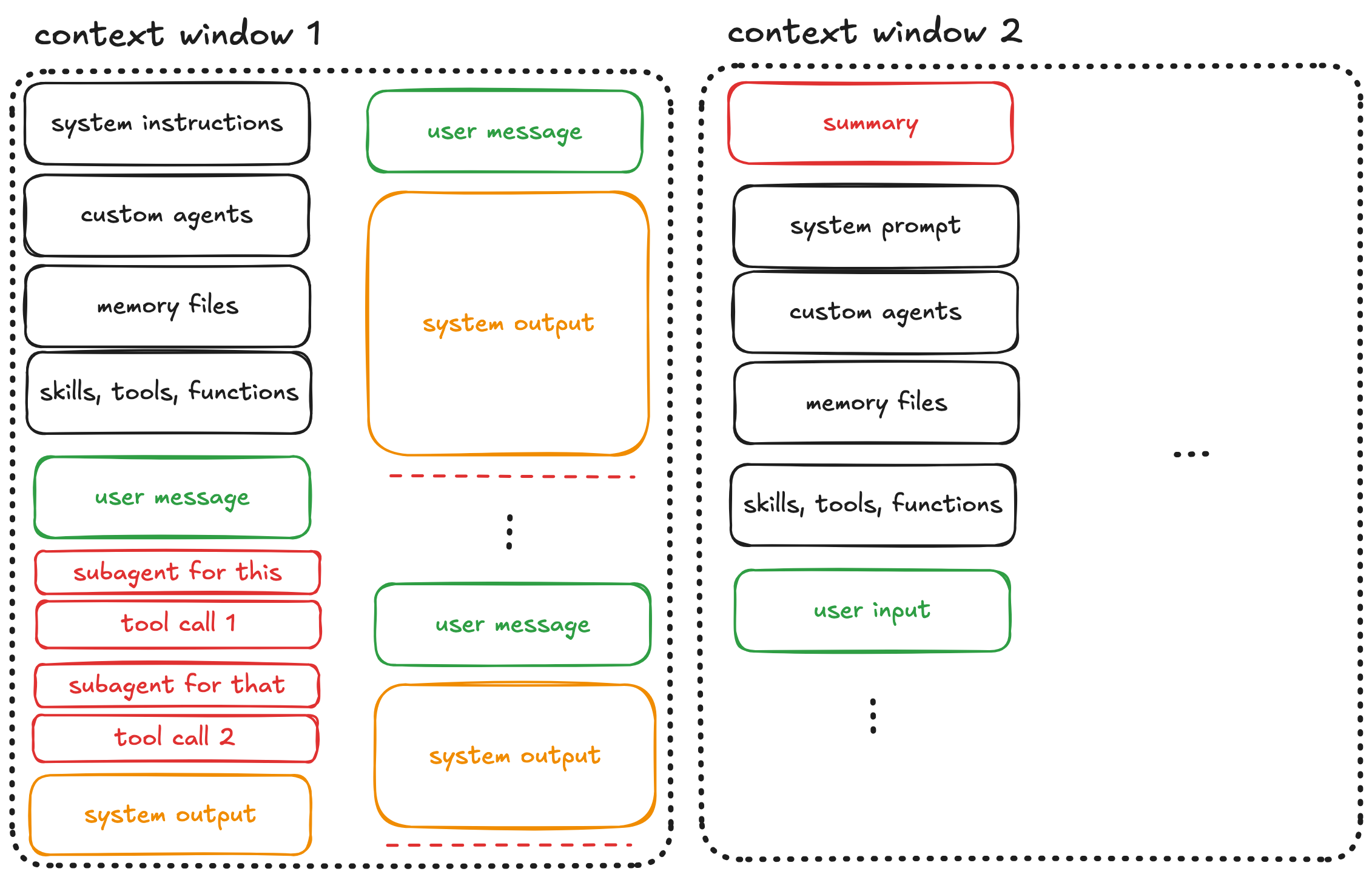
You’ve gained some space, but at the cost of information fidelity. Continue this pattern across multiple windows, and compounding summarization errors accumulate.
The Research Behind Context Rot
This isn’t just anecdotal. In abovementioned Chroma’s research, 18 LLMs across nearly 200,000 API calls are evaluated. It is found that:
- Performance degrades with input length — even on simple tasks
- Distractors compound — single irrelevant items reduce accuracy, and effects amplify with longer inputs
- Models perform better on shuffled, incoherent haystacks — counterintuitively, this suggests models struggle with long-range coherence
Their conclusion: “What matters more is how that information is presented” rather than just whether it’s present or not.
Context engineering isn’t optional; it’s vital for reliable long-context performance.
What You Should Do Instead
Note: These strategies are for complex, multi-step tasks. For quick one-shots that fit easily in context, just ask/tell the agent directly.
Option 1: Start Over Early
If you find yourself steering the agent repeatedly — especially if you see the infamous “You’re absolutely right” message — kill the session and start fresh. A clean context window with a refined prompt will outperform a degraded window with extensive steering.
This feels wasteful, but it isn’t. The tokens you “save” by continuing a rotted conversation produce worse results than starting over.
Option 2: Intentional Compaction
Don’t let the model decide what’s important. Do your own compaction:
- Periodically pause and summarize progress yourself
- Create a structured markdown file with key decisions, constraints, and current state
- Start a new session with that file as context
For example, after an hour debugging a model training pipeline, your compaction file might look like:
Session summary (2026-01-20)
- Bug: Validation loss spikes after epoch 15
- Root cause: Learning rate scheduler in
train.py:89resets on checkpoint resume- Files involved:
train.py,scheduler.py,config.yaml- Decision: Persist scheduler state in checkpoint dict, not just model weights
- Next: Fix
save_checkpoint(), add resume test with synthetic run
This is what’s known as intentional compaction. The core idea is that you yourself choose what survives, not the model. The frequency depends on task complexity, but the principle stays the same: human-curated summaries preserve information better than automatic compression.
Option 3: Spec-Driven Development
For complex tasks, the best approach is to front-load your work before the agent touches code.
And even though the term spec-driven development is often misused, in broad terms, it represents the following workflow:
Research first: Use an agent to explore the (part or parts of the) codebase, identify relevant files, understand architecture. Produce a single (markdown) file from this research (and call it as you like, e.g., product requirement documentation).
Produce a spec: Convert research into a detailed specification with user stories, acceptance criteria, and explicit constraints.
Decompose into atomic tasks: Each user story should be completable within a single context window without compaction. If a task seems too large, break it down further.
Execute with fresh instances: Each task gets a fresh agent instance with minimal context overhead.
This maps directly to Anthropic’s recommendations for long-running agents where you are supposed to work on one feature at a time, maintain progress files, and treat each session as a stateless worker receiving clear instructions.
The RPI Workflow
Humanlayer’s guide on Getting AI Agents to Work in Complex Codebases formalizes this as the Research, Plan, Implement workflow:
Research: This is the pre-planning phase. Investigate the codebase to identify relevant files and establish ground truth. Output a compacted summary covering the files involved, how data flows through the system, and potential root causes or touch points.
Plan: Generate a structured markdown plan with a phase-by-phase breakdown. Each phase should specify which files to edit, what changes to make, and how to test/verify that phase. This is what humans review — not the code itself, but the intent.
Implement: Execute the plan sequentially, one phase at a time. Work in a git worktree if needed to isolate changes. After each phase passes verification, optionally compact your progress back into the plan before continuing.
The key insight of the RPI workflow is that humans review plans, not the code. This allows for catching errors earlier and keeps the agent in the smart zone throughout implementation.
Automation with Ralph
Once you’ve decomposed work into atomic tasks, you can even automate execution. This is where the Ralph Wiggum technique comes in.
Named after the not-very-intelligent-but-very-persistent Simpsons character, Ralph runs coding agents in a continuous loop:
while :; do cat PROMPT.md | claude --print ; done
Each iteration gets a fresh context window. The agent reads a structured prompt, i.e., your spec, executes one task, updates progress files, and exits. The loop starts a new instance for the next task.
This prevents context rot by design: no single instance runs long enough to degrade. Progress persists through files and git commits, not through accumulated conversation history.
For a detailed implementation guide, see my previous post on Ralph.
Key Takeaways
Treat the context window as your precious resource. Every token matters. Overhead from tools and system instructions is unavoidable, so spend the rest wisely.
The dumb zone is real. Performance degrades with context utilization. “You’re absolutely right” is a bad, bad sign.
Automatic compaction hurts. You lose potentially valuable information. Also very bad.
Front-load your work. Research and planning in separate sessions keep implementation sessions focused.
Fresh instances beat long conversations. When in doubt, start over.
Automate with loops, not length. Ralph-style execution prevents rot by never filling the window.